Fail Close for Windows and macOS
Fail close is an optional enforcement mode for content inspection policies on Windows and macOS sensors. It temporarily blocks user actions when content inspection results are not yet available, preventing sensitive content from moving until a full policy decision can be made. With fail close enabled, actions are blocked until inspection finishes (versus the default fail open behavior, which allows the action while inspection continues).
At a glance
- Platforms: Windows Sensor and macOS Sensor.
- Scope: Blocking content inspection policies only; monitor-only policies are unaffected.
- Rollout: Enabled per deployment group by Cyberhaven Support.
- Behavior: Blocks until inspection completes; falls back to fail open in certain edge cases (timeouts, unsupported content, missing dependencies).
What it does
Availability and scope
- Supported platforms: Windows Sensor and macOS Sensor.
- Applies only to content inspection policies that block actions; monitor-only policies are unaffected.
- Configured per deployment group; not a global toggle.
- Requires enablement by Cyberhaven Support.
When fail close is triggered
Fail close engages when all of the following are true:
- An event matches a protection policy and dataset.
- The policy is blocking and requires content inspection to make a decision.
- Inspection results are not yet available for the content.
Typical triggers include large files, transient CPU constraints, or inspection service delays. While waiting:
- The attempted action is blocked.
- The block holds until inspection completes or the timeout expires.
- Once inspection finishes, the policy decision is applied (block or allow).
User experience
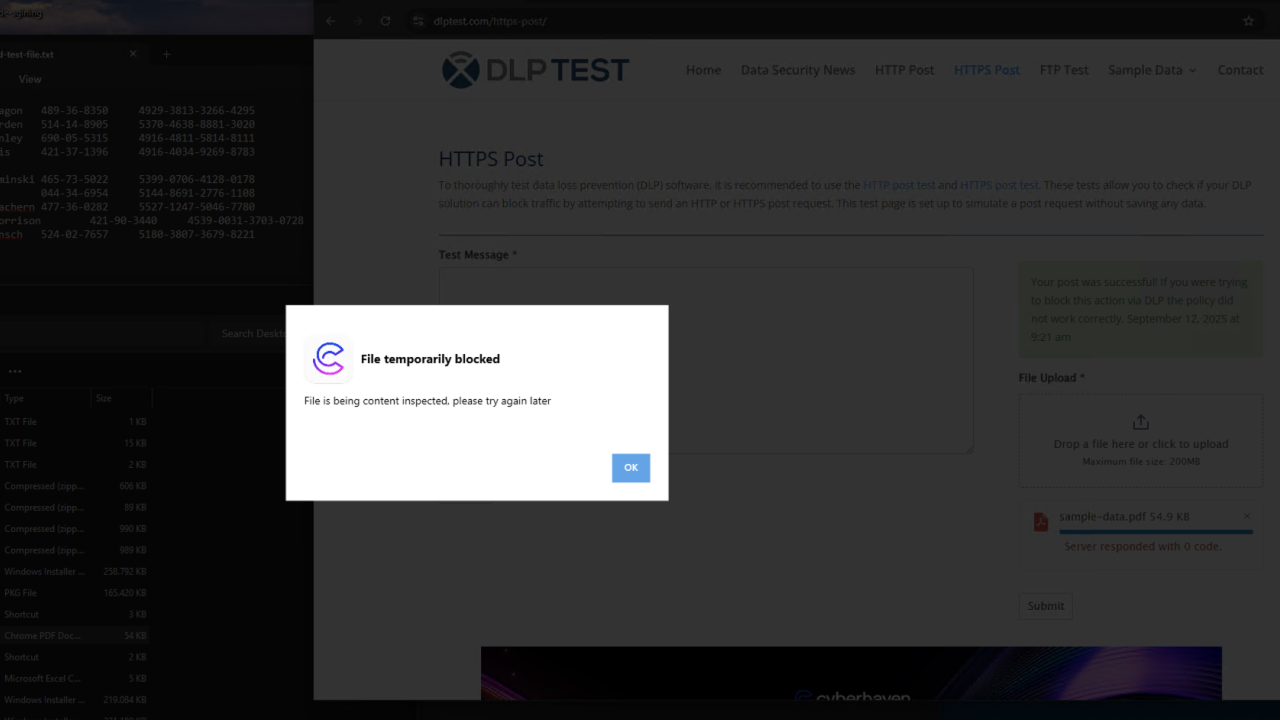
- The user sees a temporary block notification while inspection completes.
- If the policy ultimately allows the action, the user can retry after the inspection result is available.
- If the policy blocks, the standard block message is shown.
Operate it
Enable
- Identify the deployment groups that need stricter enforcement.
- Open a support request to enable fail close for those groups. Include: tenant name, target deployment groups, OS coverage (Windows, macOS), and any change window requirements.
- Cyberhaven Support applies the configuration and confirms the rollout window.
Monitoring and troubleshooting
Administrators can monitor fail-close behavior through event details and incidents. These views surface whether an action was blocked, temporarily blocked, or evaluated under fail close, along with DLP API status codes and previous DLP responses (for example, file too large or file type not supported). Use these fields to understand why an action was paused or blocked and whether inspection completed.
- See the full status code reference: Fail Close status codes.
Best practices and considerations
Important considerations:
- Global application within enabled groups: Once enabled for a deployment group, fail close applies to all qualifying events; it cannot be scoped to specific policies or actions.
- Conditions that revert to fail open: The system can fall back to fail open to avoid disruption:
- Content inspection timeout: If inspection does not complete within its window, the system reverts to fail open.
- Content inspection dependencies: Oversized files, unsupported types, or missing content may trigger fail close, after which the system reverts to fail open once the precondition failure is logged.
- Browser extension requirements: Browser-based actions rely on the Cyberhaven browser extension; missing or disabled extensions can cause fail close errors and fail-open behavior.
- Action coverage limitations: Some actions (for example, downloads that cannot be scanned until completion) may not be fully protected by fail close.
Best practices:
- Policy review: Validate policy and dataset configurations before enabling fail close.
- Testing: Enable in limited deployment groups before broader rollout.
- Monitoring: Regularly review events and incidents for fail-close status codes and address gaps early.
Disable or roll back
- Submit a support request to remove fail close for specific deployment groups or all groups.
- After disablement, policy evaluation reverts to fail open (actions proceed while inspection completes).