Datastore
The Datastore page lists each connected repository, including endpoints, and shows what labels and objects it contains. Use it to confirm coverage, spot risky locations, and drill into details.
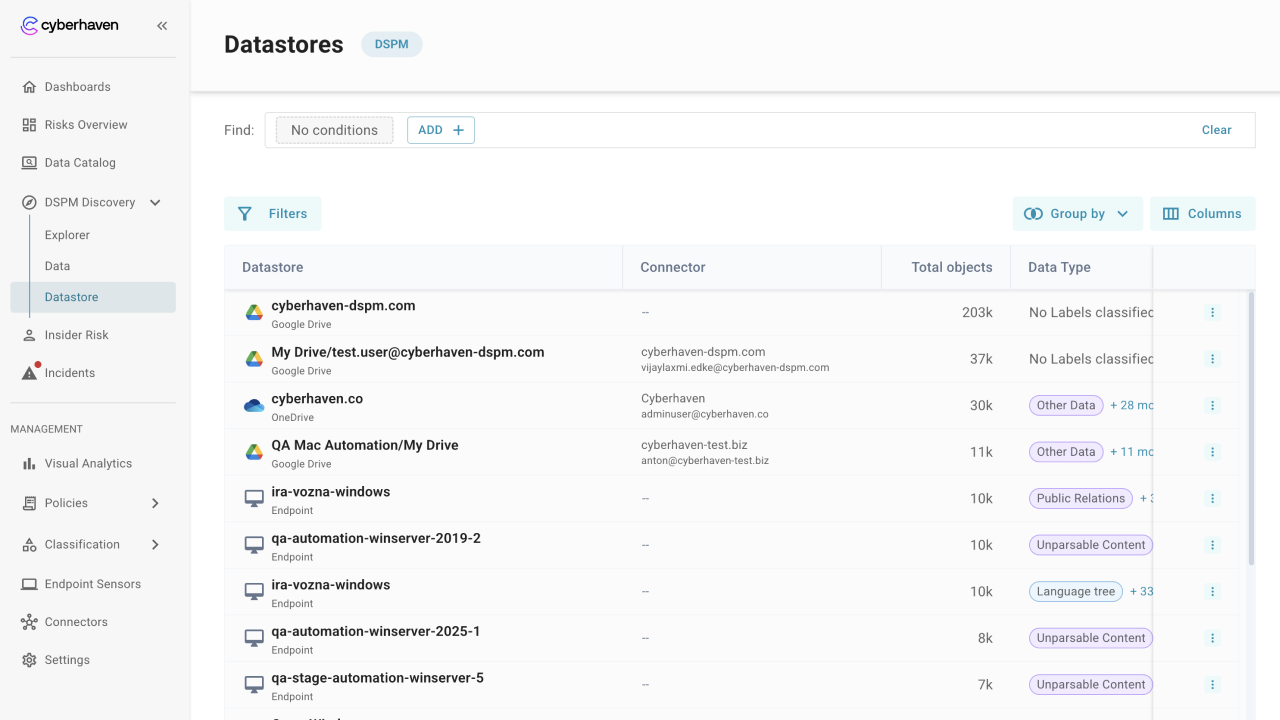
Review the datastore
- Scan the datastore list to see connector names, object counts, and key labels present in each repository.
- Use the actions menu to open datastore details.
- In the Overview tab, confirm connector, datastore type, owners (when present), and first discovered time.
- Check for connectors with unexpected low counts or missing label coverage to find gaps.
- In the Data tab, review the label mix (data types, patterns, provenance, and sensitivity) and total sensitive data.
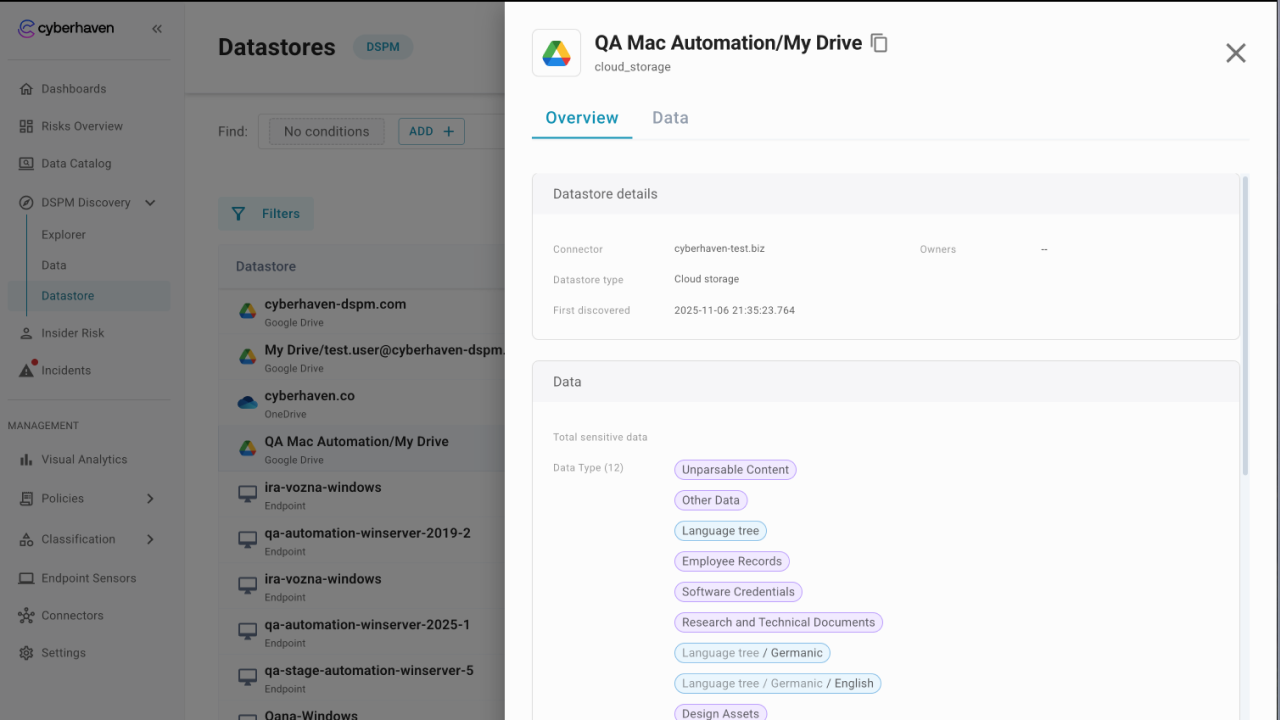
Focus on sensitive repositories
- Sort or filter by sensitivity to see which repositories hold the most critical or high objects.
- Look at pattern and data type distributions to understand what kinds of data each repository stores.
- Use location details to confirm where the repository lives and how it was connected.
Move to deeper analysis
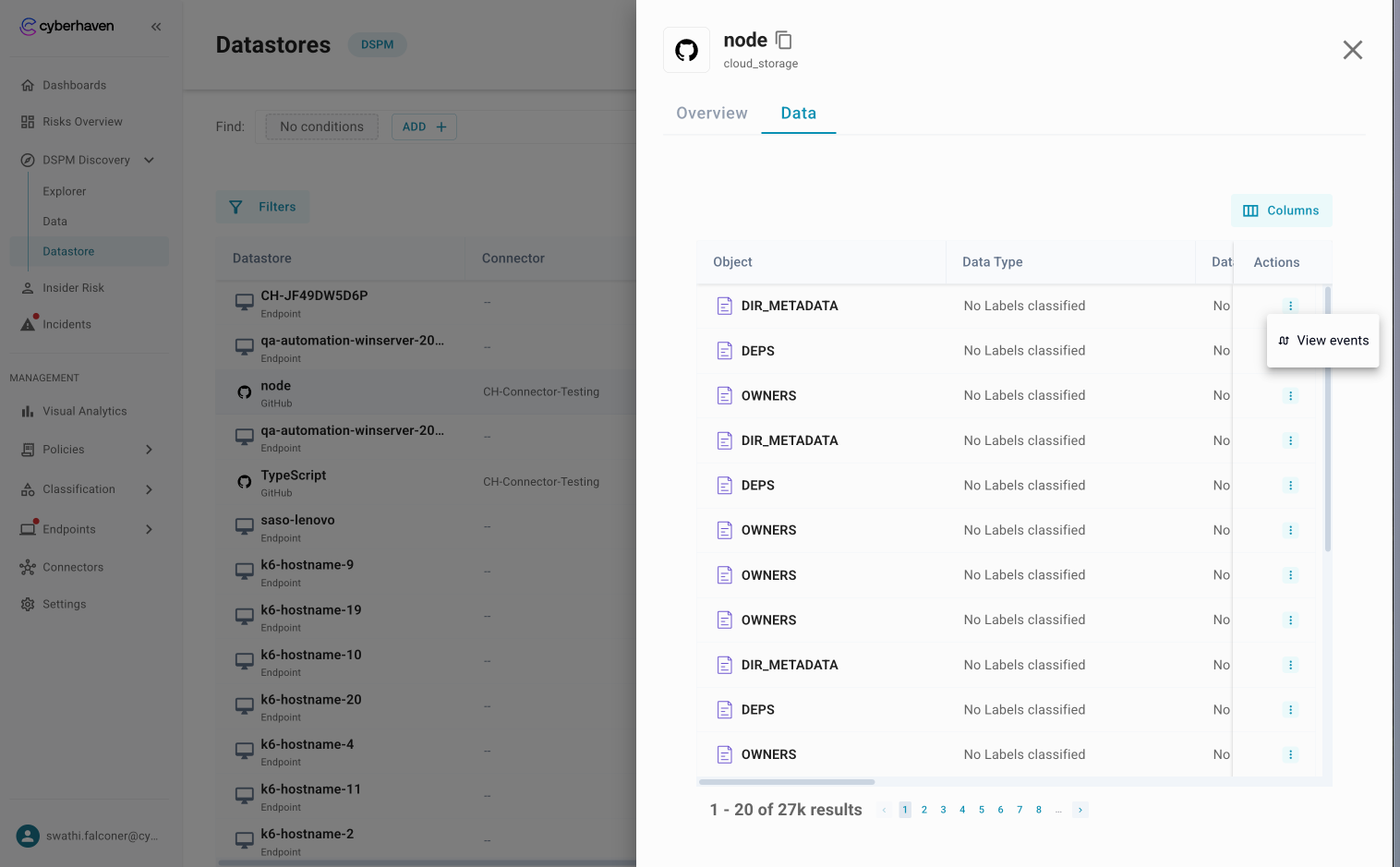
- Open the Data tab within a datastore to see the list of objects and their labels.
- Use the actions menu on a row to view events related to that object.
- Use the same labels from Datastore in Explorer to see how the repository compares to others.
How admins use the Datastore page
- Verify that all intended connectors are active and scanning.
- Compare repositories to decide where to focus remediation first.
- Track improvements over time as access changes or sensitive data is removed.