Data
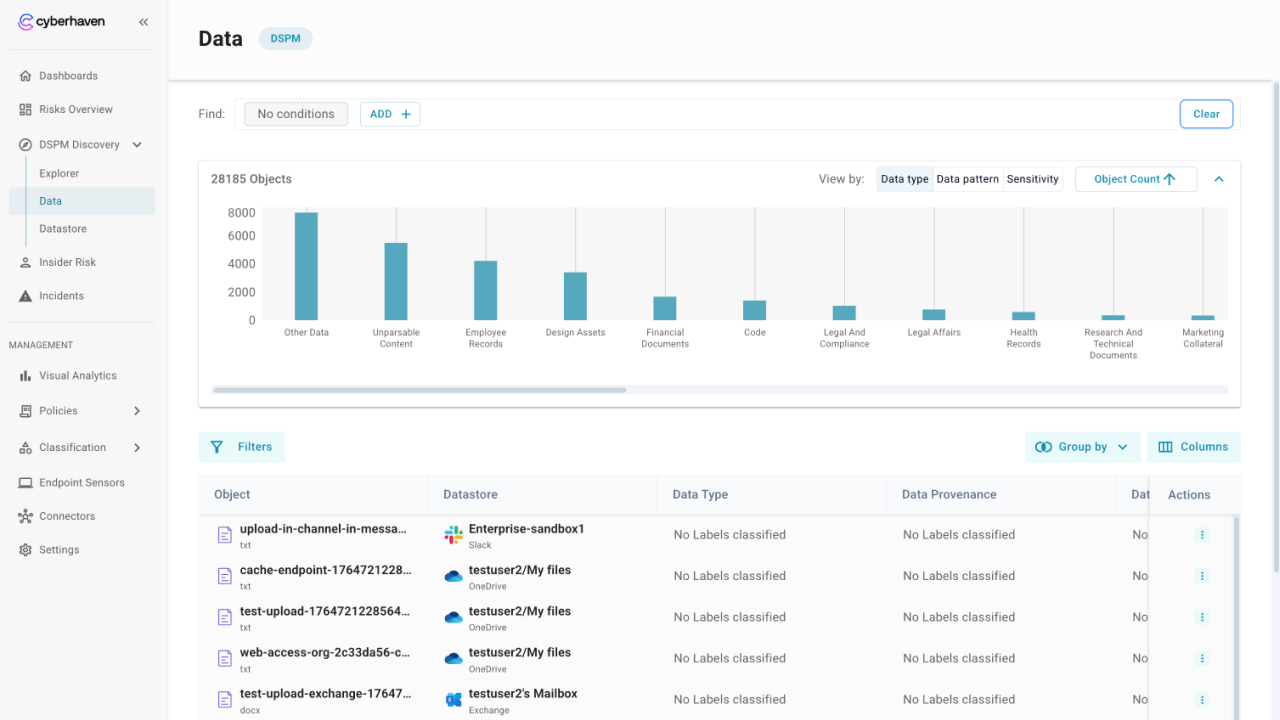
The Data page lists every discovered object with labels, locations, and activity so you can investigate risks in detail. Use filters, grouping, and sorting to find the items that matter most.
Navigate the page
- Use the table to scan object names, locations, labels, and activity counts.
- Click on any row to view object details, label matches, copies, and related events.
Filter and group to narrow results
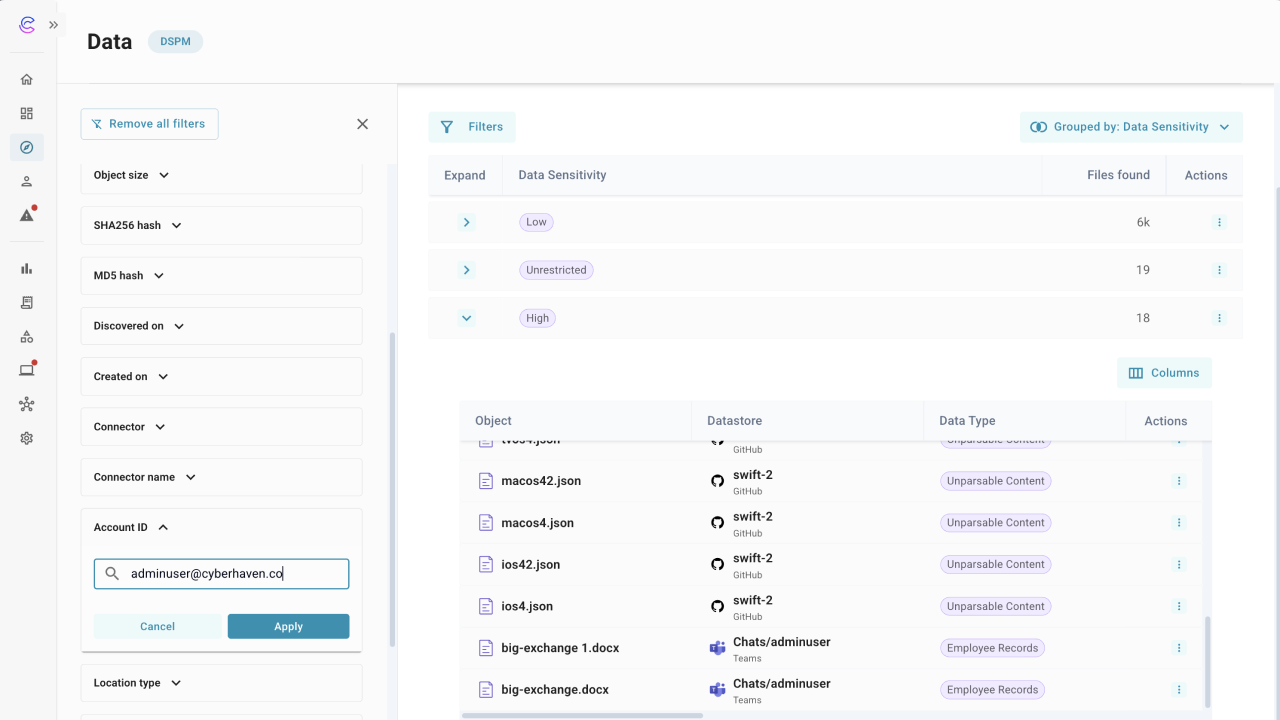
- Group by labels such as Dataset, Datastore, Data Type, provenance, pattern, or sensitivity to focus on high priority objects. Here you see totals per category and expand groups to review the underlying rows.
- Click on Filters to view the left filter drawer for additional options like object metadata, hash values, timestamps, connector name, account ID, location type, etc. and clear all filters in one click when you need to reset.
- Combine filters and groups to create a focused view, then sort by columns like last updated or copies.
Inspect labels and lineage
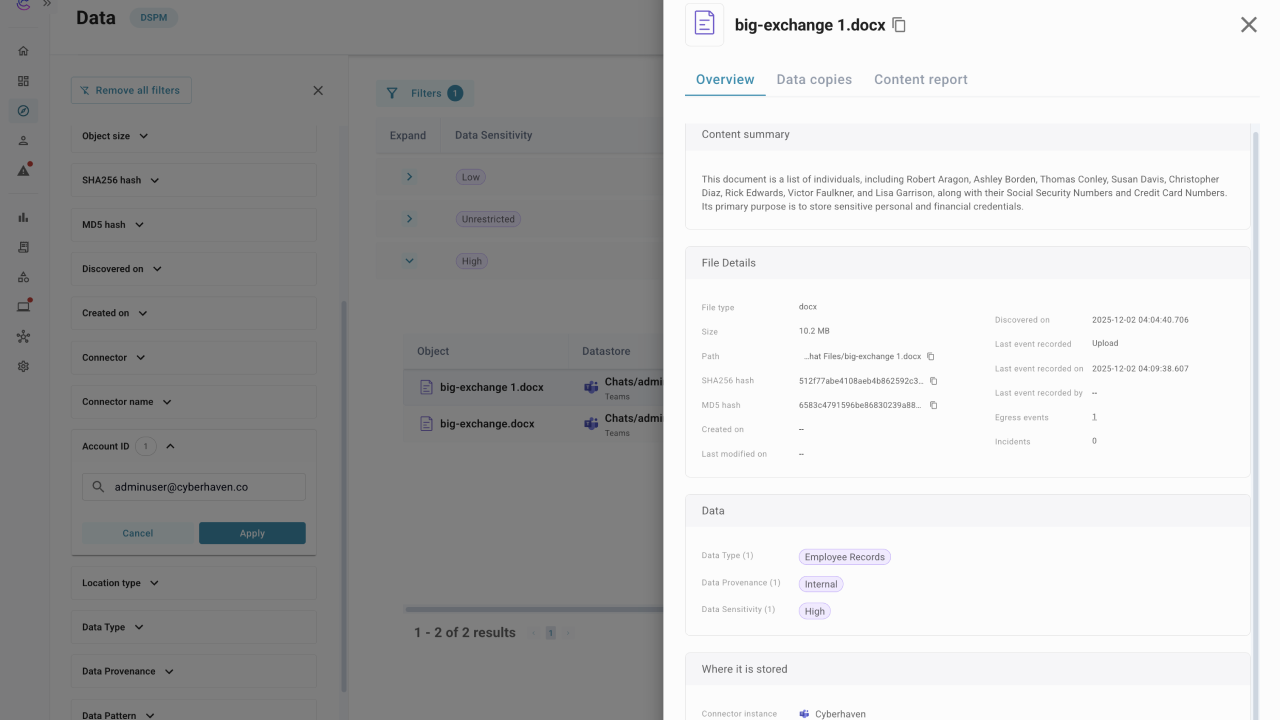
- Click on an object in a row to view its definition and why the object matched.
- Check the object details to confirm provenance, who can access it, and where it is stored.
- Review copies and distribution to see how far the object has spread across datastores.
- Open the content report tab to review inspection results and see which data patterns matched, then drill into details as needed.
- Use the actions menu to view related events. When the table is grouped by Data Type, you can also open object details. For Datasets, provenance, pattern, or sensitivity groupings, you can open the catalog view to see objects filtered to that grouping.
Analyze distributions
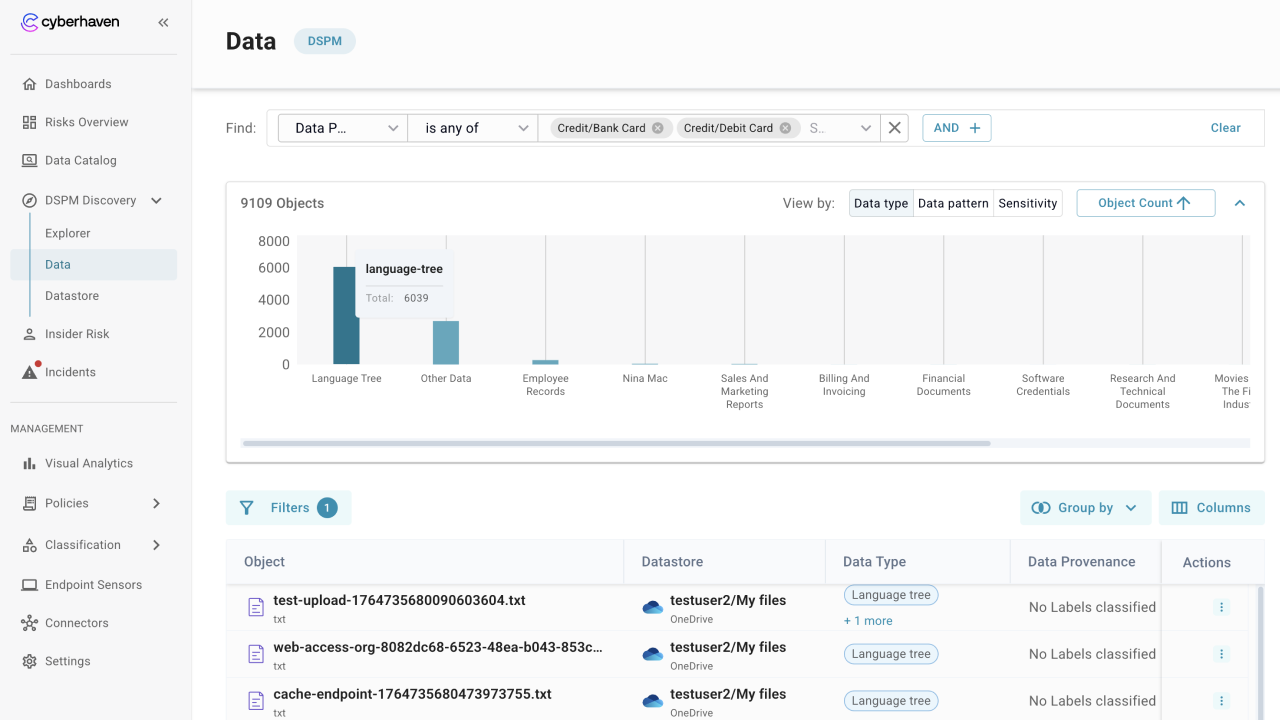
- Use the chart view to see object counts grouped by Data Type, Data Pattern, or Data Sensitivity.
- Add conditions to focus the chart on specific labels, then clear them when you want the full distribution.
- Sort the chart by object count to surface the most common categories first.
- Collapse or expand the chart panel when you want more room to scan the distribution before moving to the table.
How admins use the Data page
- Validate the number of critical or high sensitivity objects and where they live.
- Investigate pattern matches, such as PII or PCI, and confirm whether they include internal or public data.
- Identify duplicate or outdated files that can be removed to reduce risk.