Microsoft Teams Support with Windows and macOS Sensors
Cyberhaven Endpoint Sensors provides protection for the Microsoft Teams desktop app. The Sensors can monitor, block, and inspect the content within Microsoft Teams to prevent data leaks. This feature is available for Windows starting with Endpoint Sensor version 25.03 and on macOS starting with version 25.06.01.
The Sensor includes an inline proxy package designed to inspect HTTPS traffic for sensitive data before it reaches Microsoft Teams and prevent the upload of sensitive information from being shared with unintended users or external applications.
You can monitor and block specific activities within Teams, such as file uploads and shares.
This feature is currently available upon request. To enable this feature, contact Customer Support.
:::info NOTE
On macOS, this feature requires the installation of a self-signed certificate to allow secure traffic inspection. Customer Support can assist with certificate configuration and deployment. :::
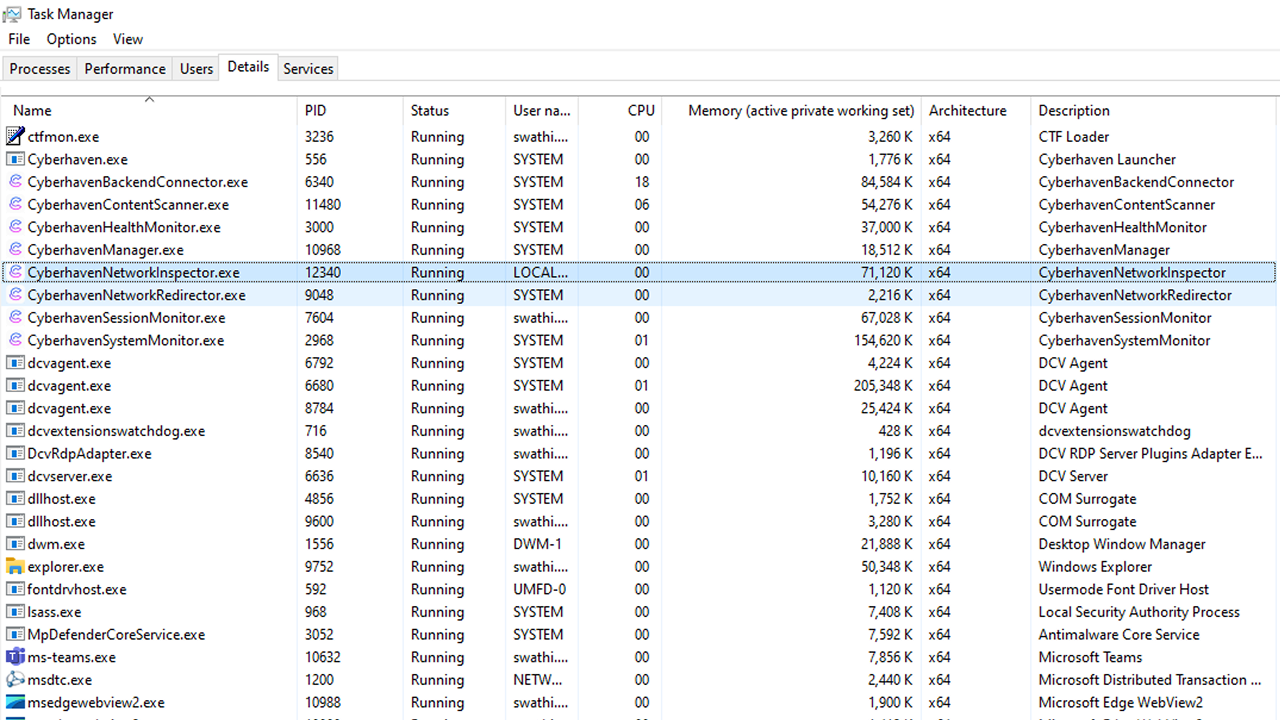
When enabled, the following two Cyberhaven processes are displayed in the Task Manager.
Coverage
Cyberhaven provides monitoring, blocking, and content inspection capabilities for user activities within Microsoft Teams. Additionally, Cyberhaven uses the metadata to generate the data lineage, allowing you to track the flow of data within Teams.
This support includes coverage for the following spaces within the Teams desktop app.
- Teams
- Channels
- Group chats
- Chats
- Apps - Sharepoint and OneDrive
Supported user actions for file operations include:
- Open
- Upload
- Sharing
The following metadata attributes are collected from the user's activities.
- Project/Channel: The project or channel associated with the file activity.
- Organization: The organization that the user belongs to.
- Account: The Microsoft Teams account name of the user.