Endpoint Management Profiles
Profiles are the objects that target configurations at sensors. They include all of the relevant configurations for the endpoints and the targeting options to select which endpoints are being targeted with the included configurations.
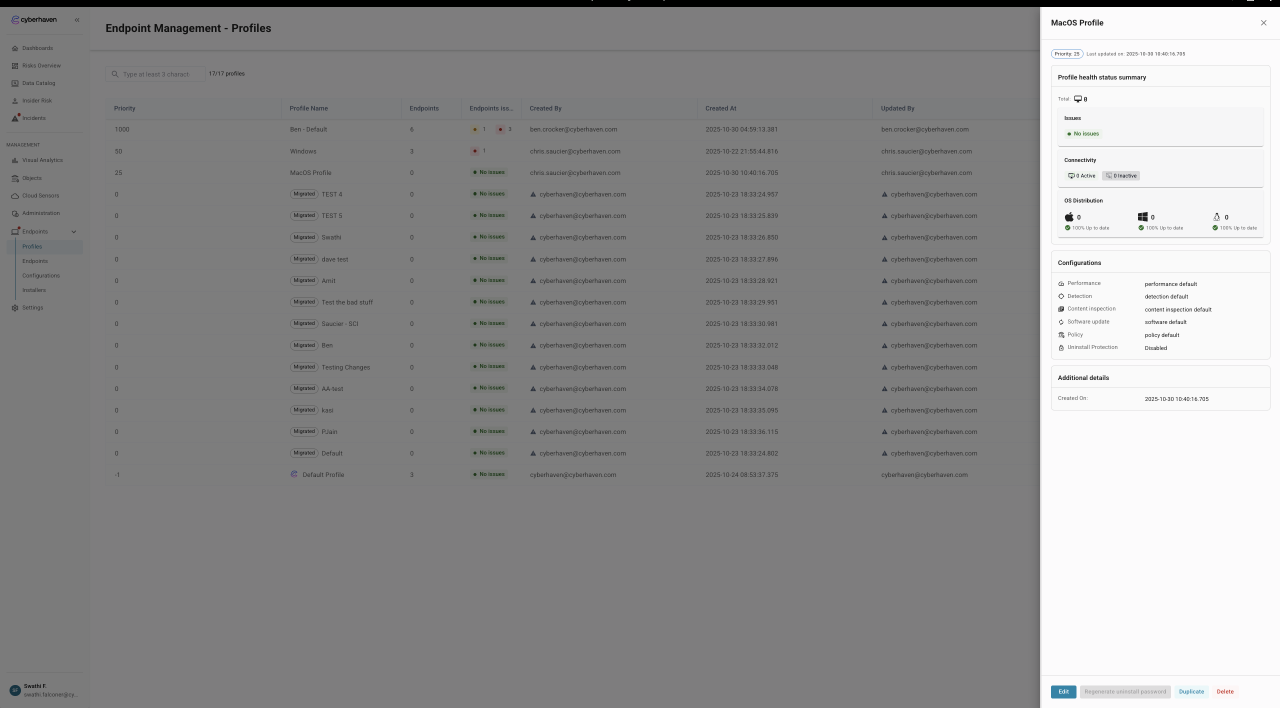
Profile targeting
Profiles are targeted dynamically from the platform by selecting from the list of characteristics that can be used to filter devices in the environment.
The targeting characteristics that are supported initially for filtering devices are:
- Device Hostname
- Device OS
- Device Serial number
In future releases, this will be expanded to support more endpoint characteristics to enable more complex targeting capability. Because it may be possible for device targeting to cause overlaps where one or more devices may match the targeting criteria of multiple profiles, the profiles are ordered by priority to ensure a tie-break option to resolve these situations.
Profile priority
Profile priority is the order in which profiles will be applied should there be an overlap in targeting for a given endpoint or endpoints. In this case, should two profiles be applicable for a sensor, the profile closest to the top of the list will apply to the device.
Default Profile
When viewing the profile list, there is a default profile option shown at the very bottom, which is configured and delivered by Cyberhaven. This profile is immutable and will be updated by Cyberhaven over time to reflect changes in default settings. The default profile will remain at the bottom of the profile list, meaning it will only be applied to devices when no other profile matches. This is intended to ensure that devices will always have some configuration applied to it and can record telemetry.
Default Profile
It is strongly recommended to create a custom profile and configurations (even if that is done by copying the default) that is higher in the profile list and takes precedence over the default.
Cyberhaven will manage the default profile and the associated default configurations and will from time to time make updates to the settings, which will get applied. While these settings changes will get documented and highlighted in release notes, it may lead to unexpected behaviors.
Following this recommendation will ensure administrators have the best possible control over sensor configurations that are applied to sensors.
Configuration Selection
The profile allows selection of a reusable configuration item for each element of the configuration that can be controlled by the platform. Details of the configurations and their settings are documented in the following sections:
- Performance Configuration
- Detection Configuration
- Inspection Configuration
- Policy Configuration
- Software Configuration
It is required to have a configuration applied for each of these to save a profile. When creating a new profile, the default values are auto-populated. It is recommended to create and select custom settings, as the default configurations may be changed by Cyberhaven during updates to the platform.
Configurations are reusable items that can be selected and used by many profiles. This is intended to allow for general configurations to be created and reused throughout the environment, but also to allow for specific configurations to be created and applied to a profile when required. When adding a configuration to a profile or when updating a configuration, it should be considered if this will impact one or more profiles.
Uninstall Protection
The setting for Uninstall protection for Windows is kept at a Profile level and is not included inside the configuration items. This has been done to ensure that the uninstall password is stored correctly and can be updated without impacting other profiles, as would be the case if this were in a configuration.
Override Settings
The override settings are present to support specific issues or troubleshooting requirements. Any settings applied in an override will be applied preferentially over settings included in the configurations included in a profile.
Override settings should only be applied in conjunction with the Cyberhaven support team.
These settings can have significant implications for the behavior of the endpoint and will apply in preference to the settings in the applied configurations. This may lead to confusion with regards to behaviors.
Details of configuration overrides and their impact can be found on the following page Profile Overrides