Data Object Details
Data Provenance and Source Tracking
Every dataset in the catalog includes metadata on where the data originated. This includes:
- Source application (e.g., Google Drive, Slack, Chrome)
- File path or document URL
- Original user and device
This provenance data is collected from observed events (clipboard, download, save-as, etc.) and helps assess trustworthiness and ownership of content.
Copies and Distribution
A key feature of the Data Catalog is visibility into the spread of sensitive data. For each dataset:
- The number of copies across different devices, apps, or domains is displayed.
- Analysts can click into this to view the list of copies and the paths they took (e.g., download to desktop, email to external party, uploaded to Dropbox).
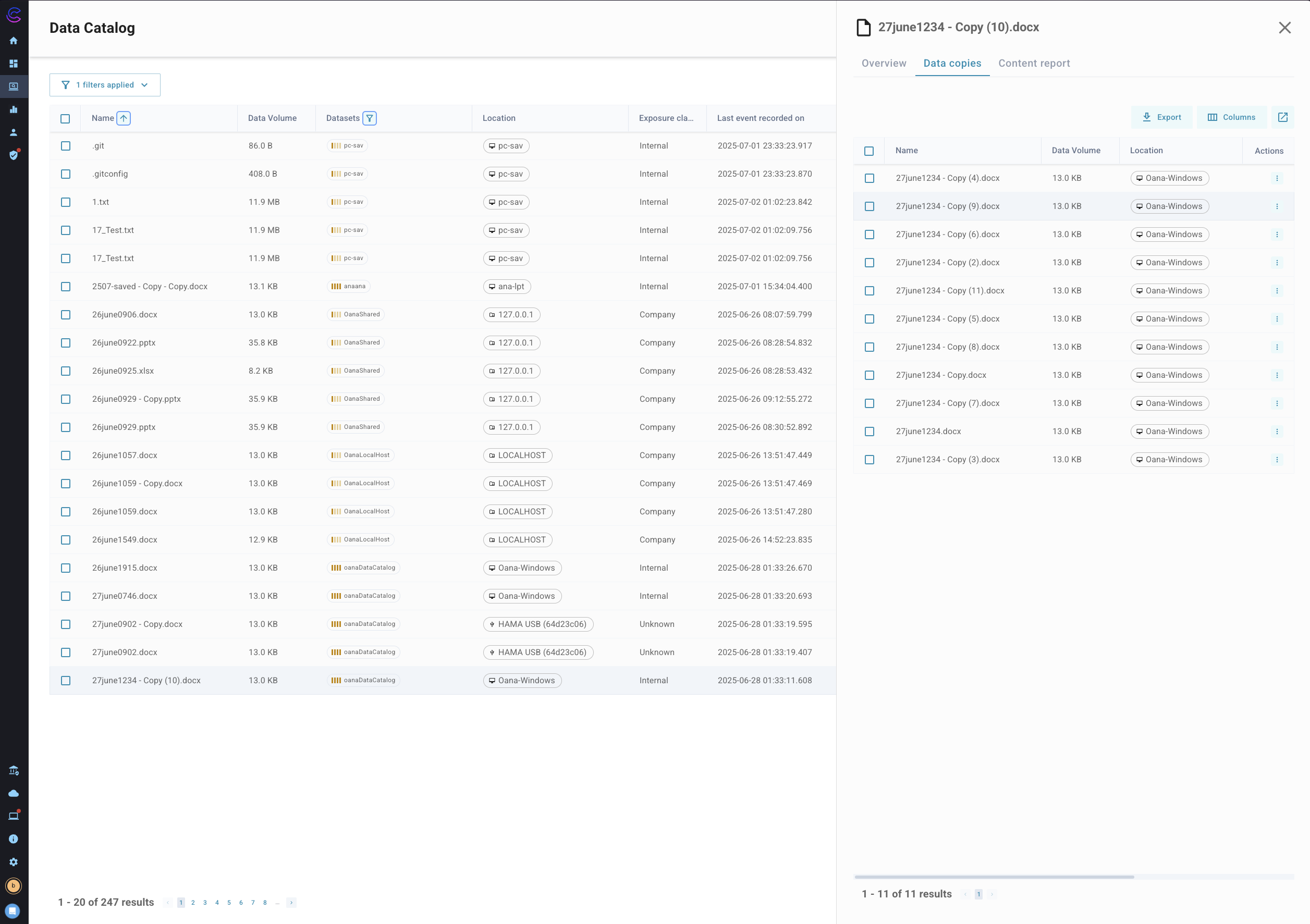
This feature supports detailed forensics and helps organizations identify potential exfiltration or mismanagement of data.
Content Report
The content report panel shows information gathered as part of the application of content identification policies. When access to the content report file or the content itself is available then the user will be able to open the report viewer and see the match elements of the file in the UI and review these in the same way they are available in the events or incidents view.
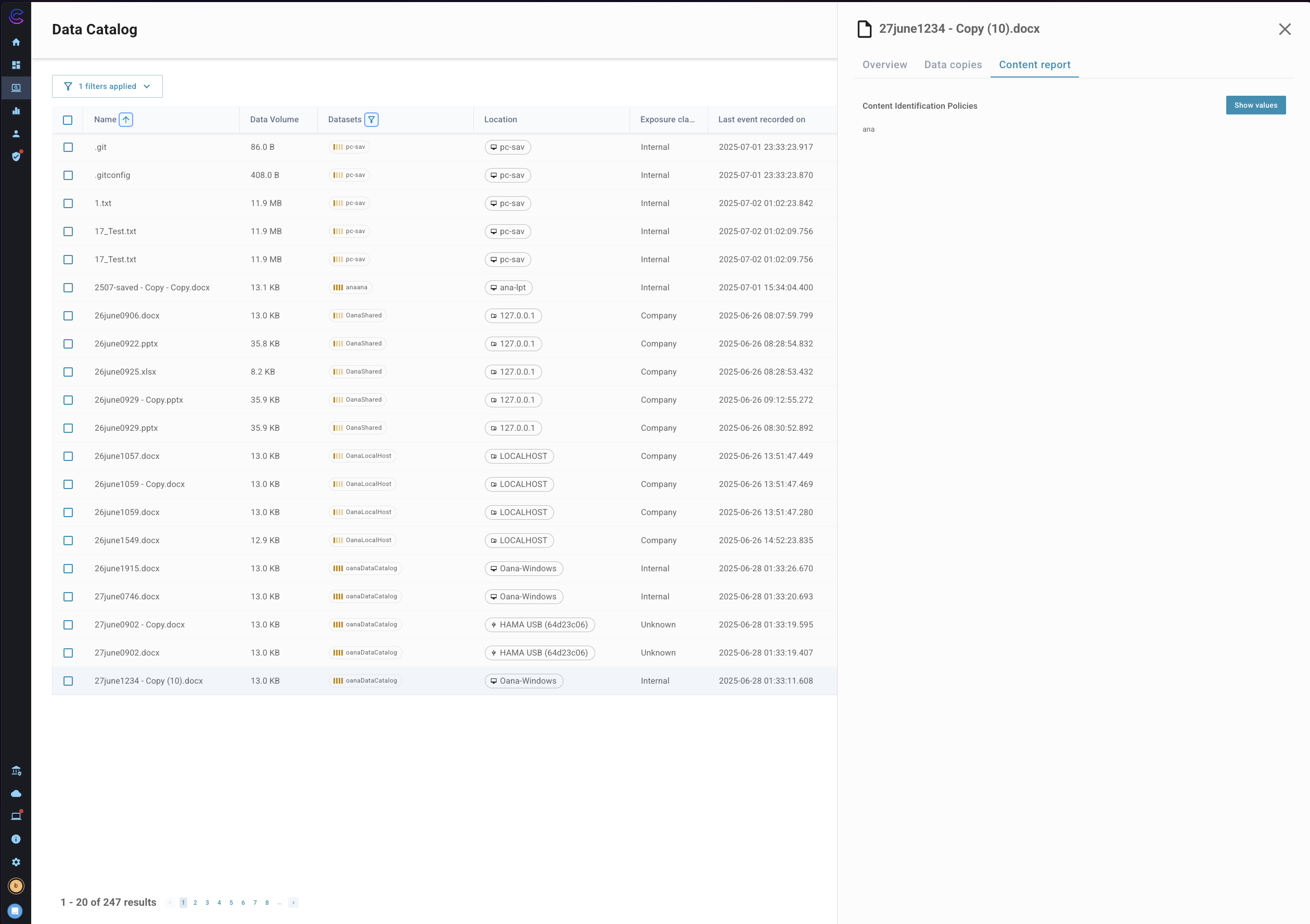
The image above shows the individual content rule matches as reported from the content identification process, this is available without read access to the content bucket.
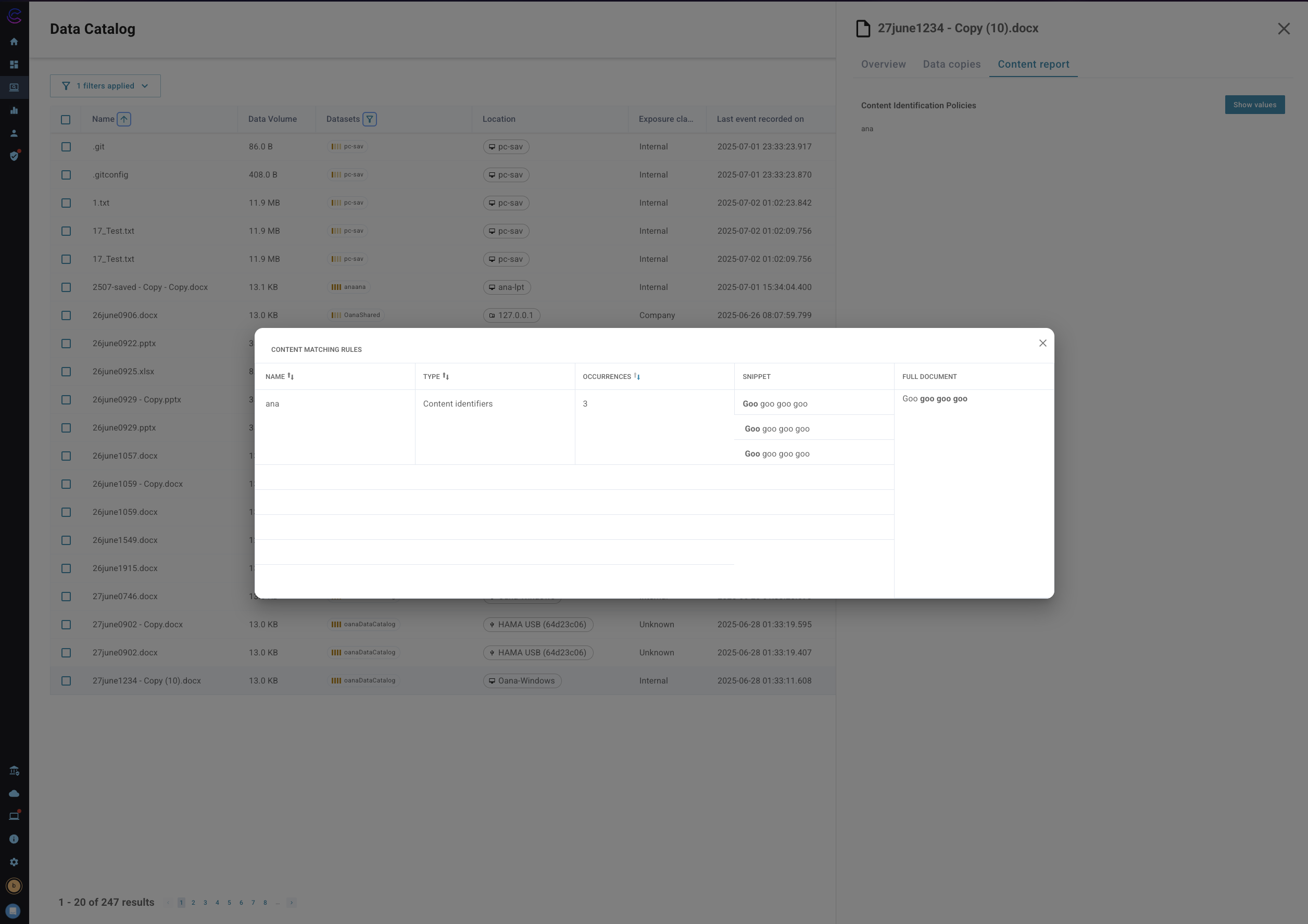
This image shows the detailed view of the content report when the "Show Values" button is clicked, this allows the user to view the specific elements in the file that have matched the content identification rules. This view requires read access to the content bucket for the content report. To understand the configuration requirements for the content report see [External Storage](/25.06/Admin/Guide/External Storage)